Integrations
Last updated: November 6, 2024
Integrations allow your data to live in Aleph. You can integrate any source of data and monitor your integrations via the Aleph Web App. Some examples sources are ERPs, accounting systems, CRMs, HRISs, Data Warehouses, or even Excel/Google Sheets documents. Each integration will refresh manually or automatically with an established frequency, providing the most up-to-date data when you need it.
An integration may contain multiple tables. For example, an accounting system may contain the Balance Sheet and the Income Statement and both can both be brought in through an integration.
See below for detailed instructions on setting up specific integrations. If you're not able to set up an integration on your own please contact our team (support@getaleph.com) for assistance.
How to Add a New Integration (Netsuite Example)
To connect your data with Aleph, create an integration by following these easy steps:
Open the Aleph Web App
Click on Integrations on the left-hand side and click on "Add Integration"
Search for the name of the source you would like to integrate
Select your desired integration from the list and click "Continue"
Name your new integration and click "Set up"
You will be redirected to FiveTranand click "Continue"
Follow FiveTran's Setup Guide and click "Save & Test" when you're finished
You will be redirected to the Aleph web app. The integration will appear as "Pending".
The data sync will typically take between 5-20 minutes. You will receive an email from our team once the integration is complete.
Please reach out to our team if you have any questions at support@getaleph.com.
Integration Updates
Update Status
In the integrations tab of the Aleph web app, you can see the last time Aleph refreshed the data from the source.
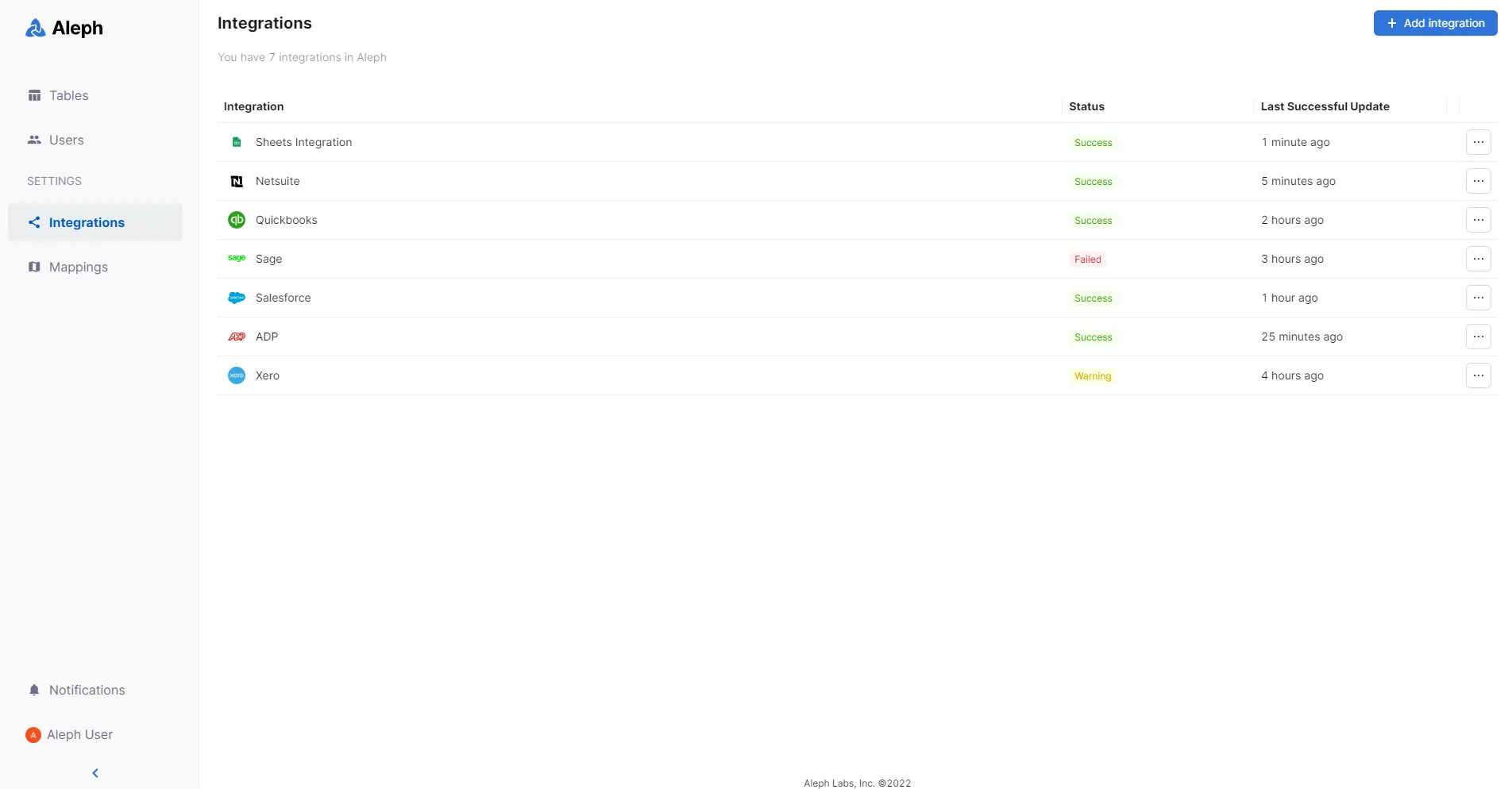
There is also a label that indicates the status of the integration. The three statuses are:
Success: Indicates the last time that Aleph initiated a data sync, the new information synced correctly.
Warning: Aleph synced the data correctly, but there is some action needed from the user (e.g., updating a mapping).
Failed: There was some issue in the last sync cycle when Aleph tried to bring new data. You can click on the icon to see more detail.
Scheduled Refreshes
When you set up a new integration it will automatically begin it's first sync. After the initial sync, the data will be refreshed daily at 5:00 AM EST.
If you are interested in more frequent refreshes, please contact our support team (support@getaleph.com).
Manual Refreshes
In case you need it, you can also trigger a new manual refresh by clicking on the ellipsis at the right of the integration and selecting “Refresh”.

Refresh Activity
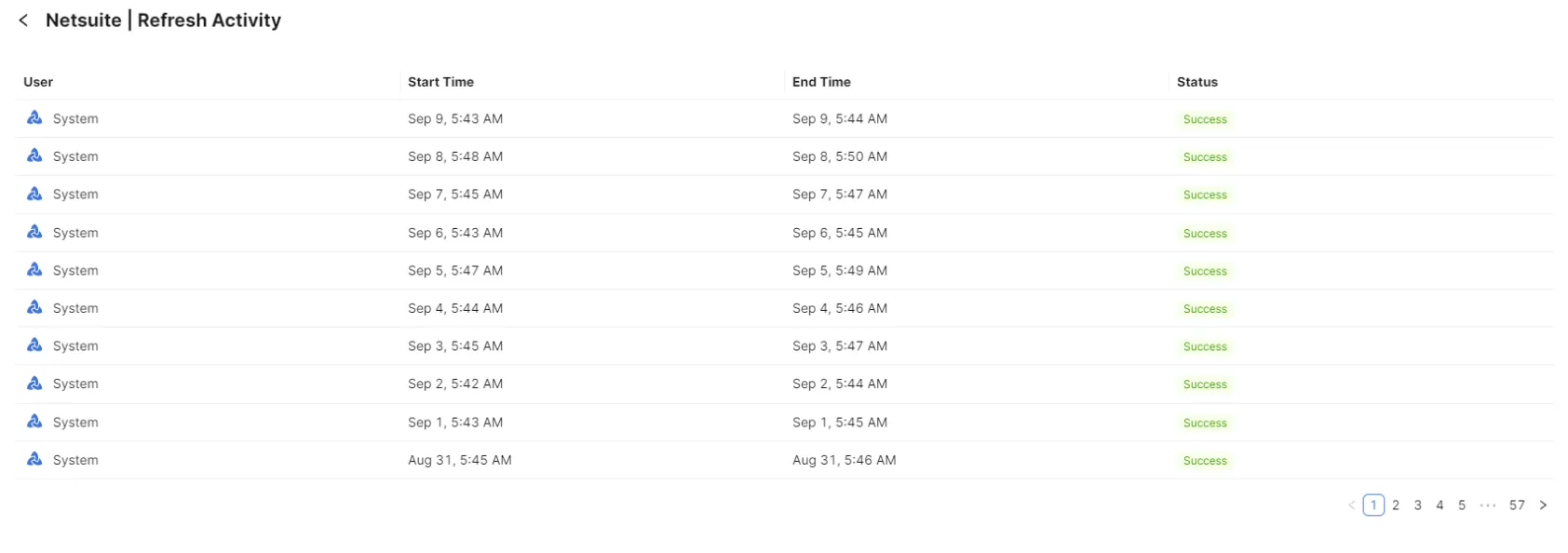
If you want to access more information about the latest integrations syncs, click on the ellipsis on the right side and click “View refresh activity”. You will see the latest information related to refreshes, including their start time, end time, and status.
Popular integrations
Typically, users integrate their ERPs, CRMs, HRISs, and data warehouses to leverage Aleph as their financial source of truth. Below you will find the links to our setup guides for our most popular integrations:
ERP
CRM
HRIS
Data Warehouse