Delete workspace in IMPACT
Last updated: September 18, 2024
If you don’t need the IMPACT workspace anymore - no worries. You can always delete your workspace.
Go to Menu -> Workspace settings -> Delete workspace.
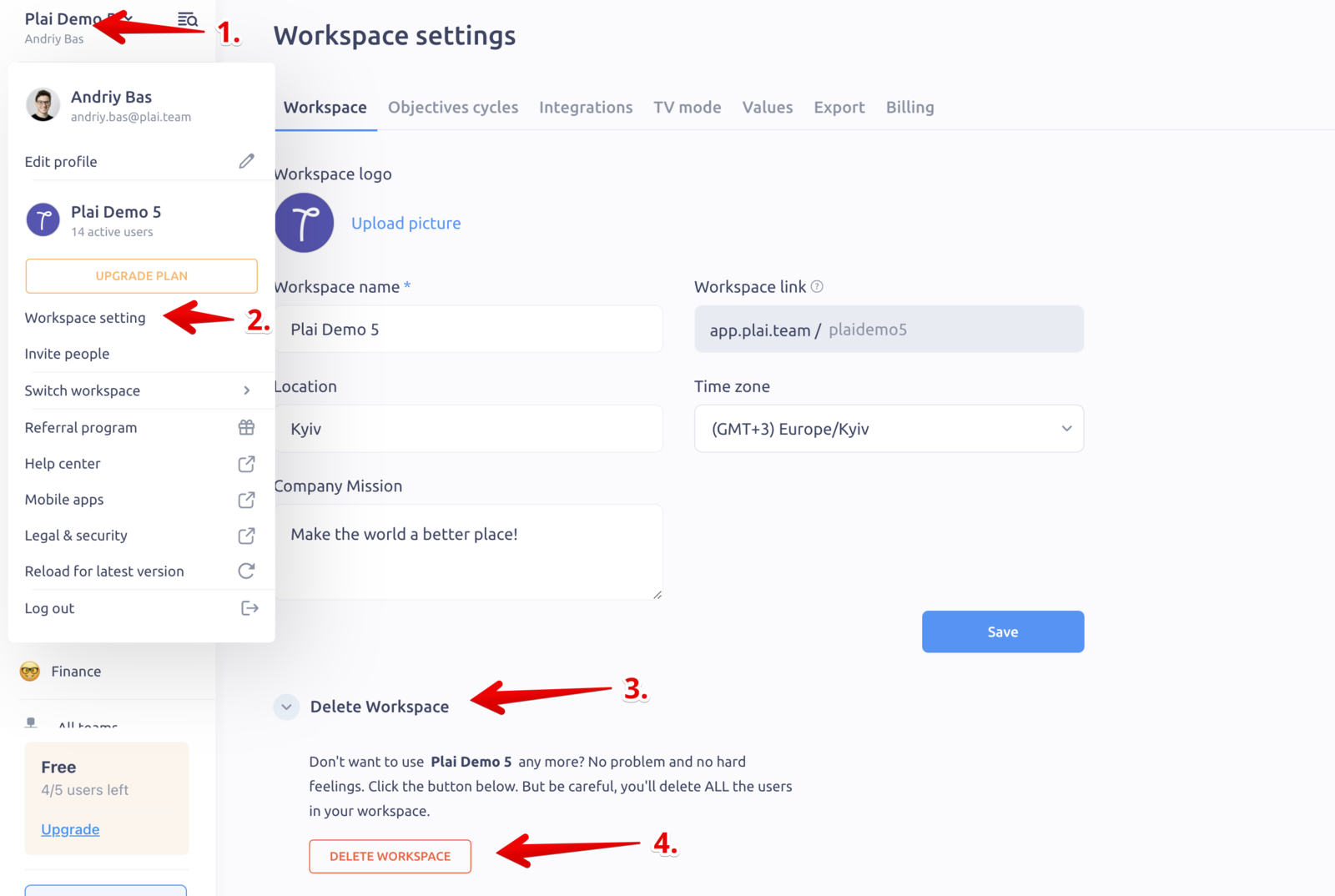
If you have several workspaces — your data in other workspaces won't be affected (this function deletes only one single workspace). To delete all your workspaces — perform this action one by one for all of them.
👆 Note: when you confirm and delete your workspace, all your data and users in this workspace will be removed forever, it won’t be possible to restore it.
👆 Note 2: you can only delete workspace on the Free plan. If you have an active subscription in IMPACT — cancel the subscription first, and then delete the workspace.