Update your own profile in IMPACT
Last updated: September 18, 2024
Update your own profile in IMPACT
As a user, you can update your profile by going toMenu→Edit profile.
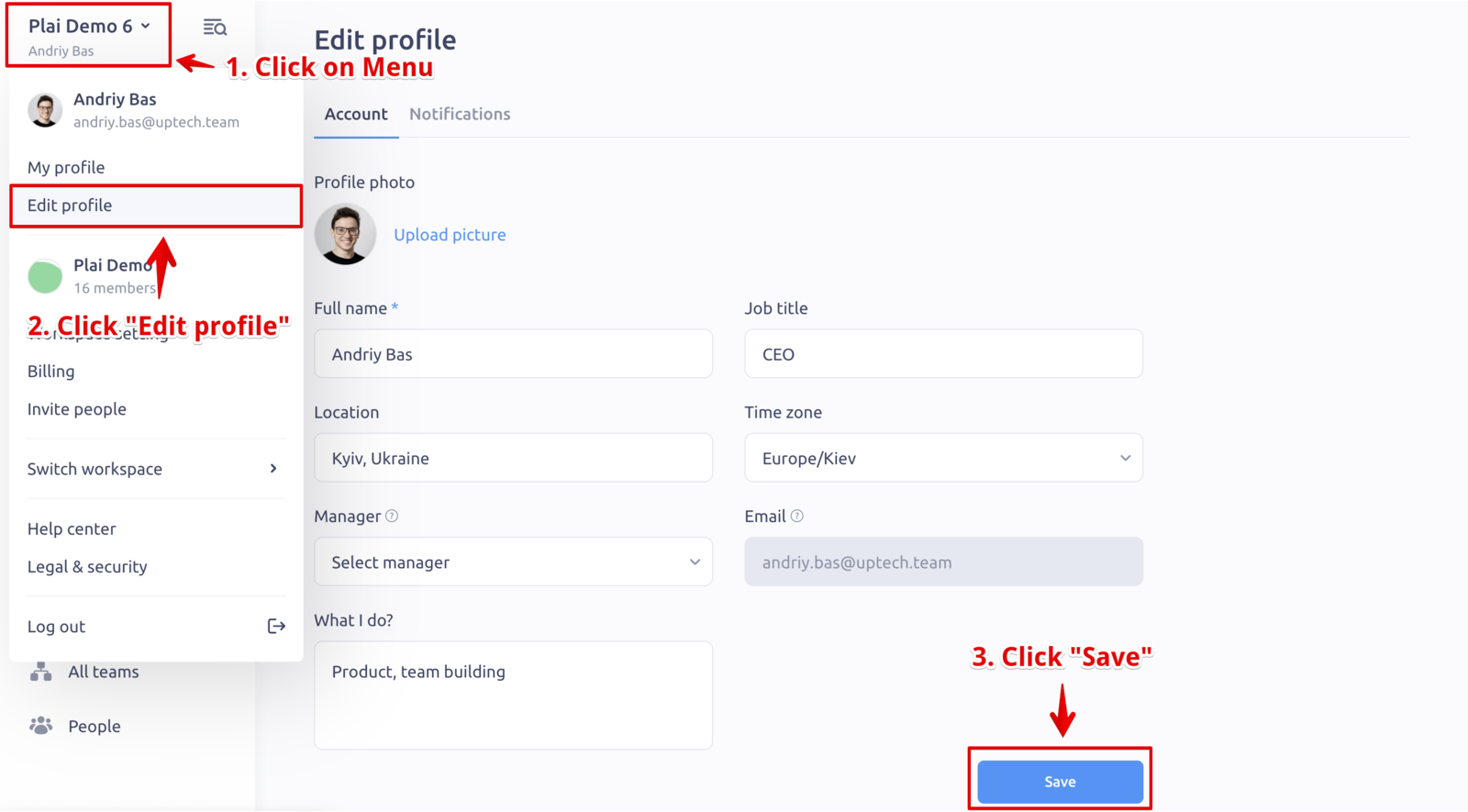
Update your name, avatar, job title, timezone, etc.
👆 Note: Only Admins and HRs can update your manager since the manager might have access to sensitive information from the Reviews.
To change your email, please write to us in the chat (bottom right) or on the email at support@peoplelogic.ai
Update other users profile
If you haveAdmin,HR adminorHR manageraccess level, you can edit the profile info of other users.
Go toPeople→Edit user(in the 3-dots next to the user name).
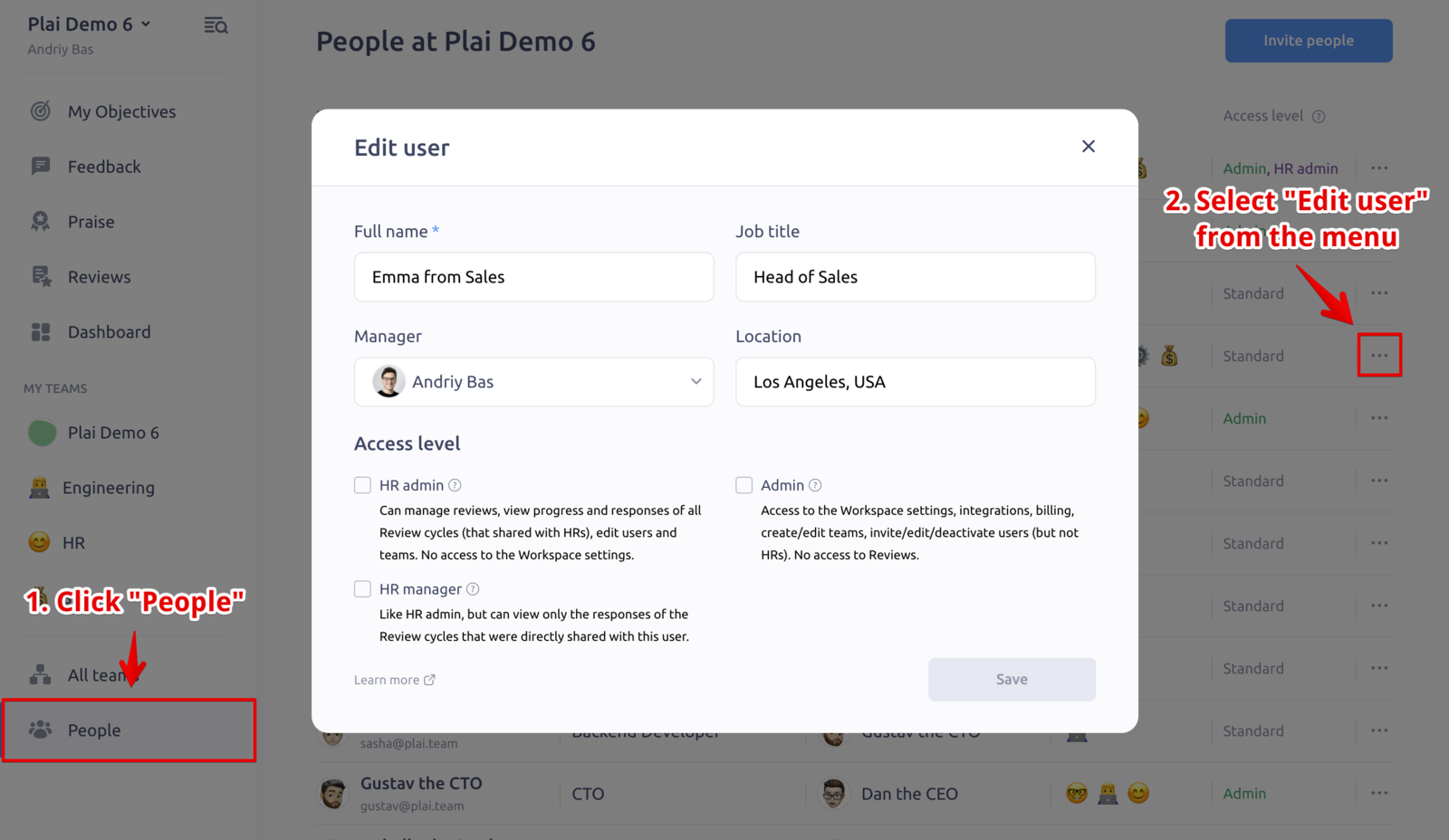
You can also deactivate the user (by pressingDeactivatenext to the user name). Deactivated users won’t be able to log in anymore, but all their info will be saved.
To the delete user, deactivate the user first, and then pressDeletenext to the user name in theInactive team memberssection.
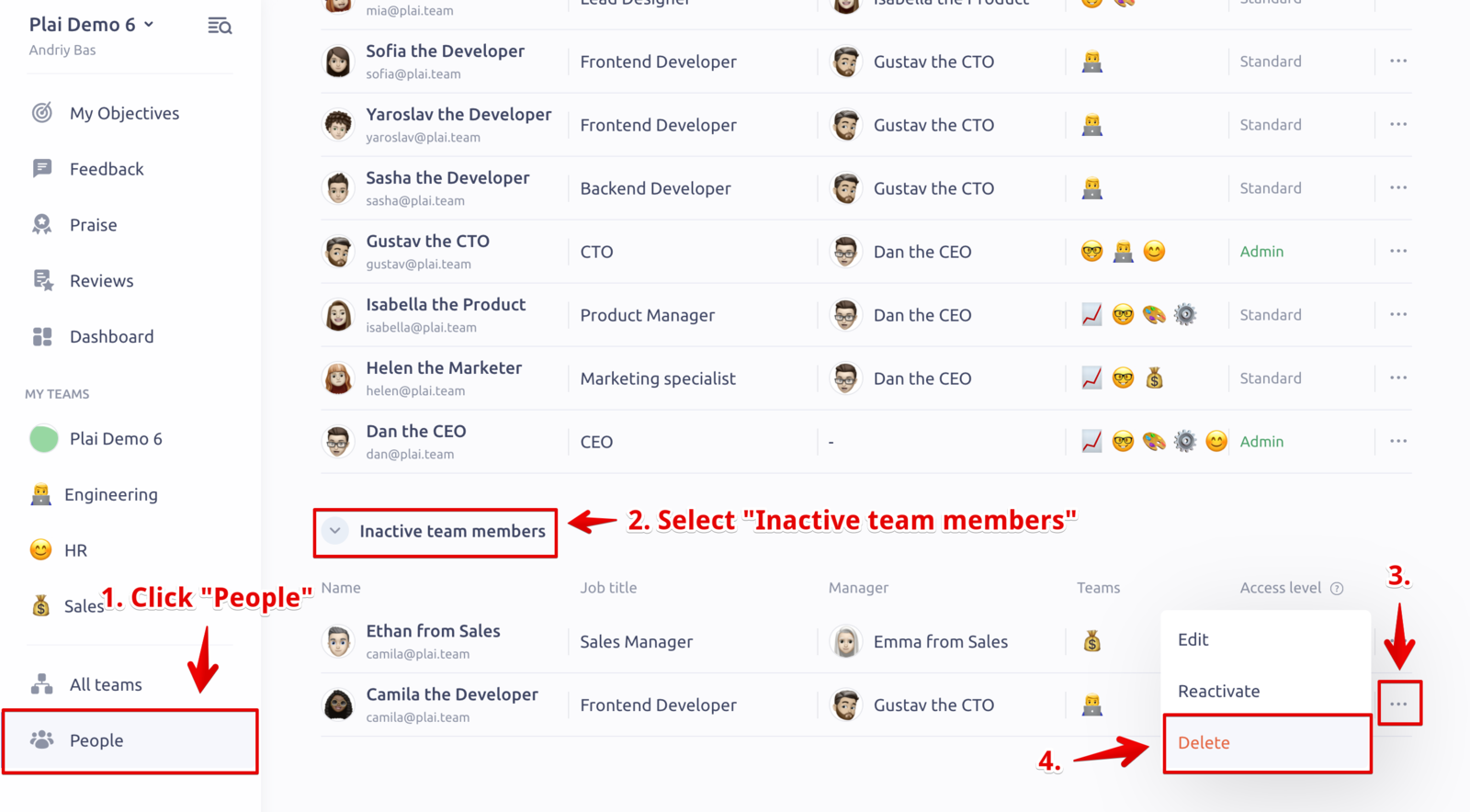
👆 Note: Deleting the users cannot be undone. The information will be deleted forever. Be careful with this action.